
01
Read in your preferred language
Translate messages and quotations separately. Choose reading and reply languages independently, with an optional source-language override.
Bring languages closer. Keep your voice your own.
Translate X conversations, collect your thoughts, and prepare a reply.
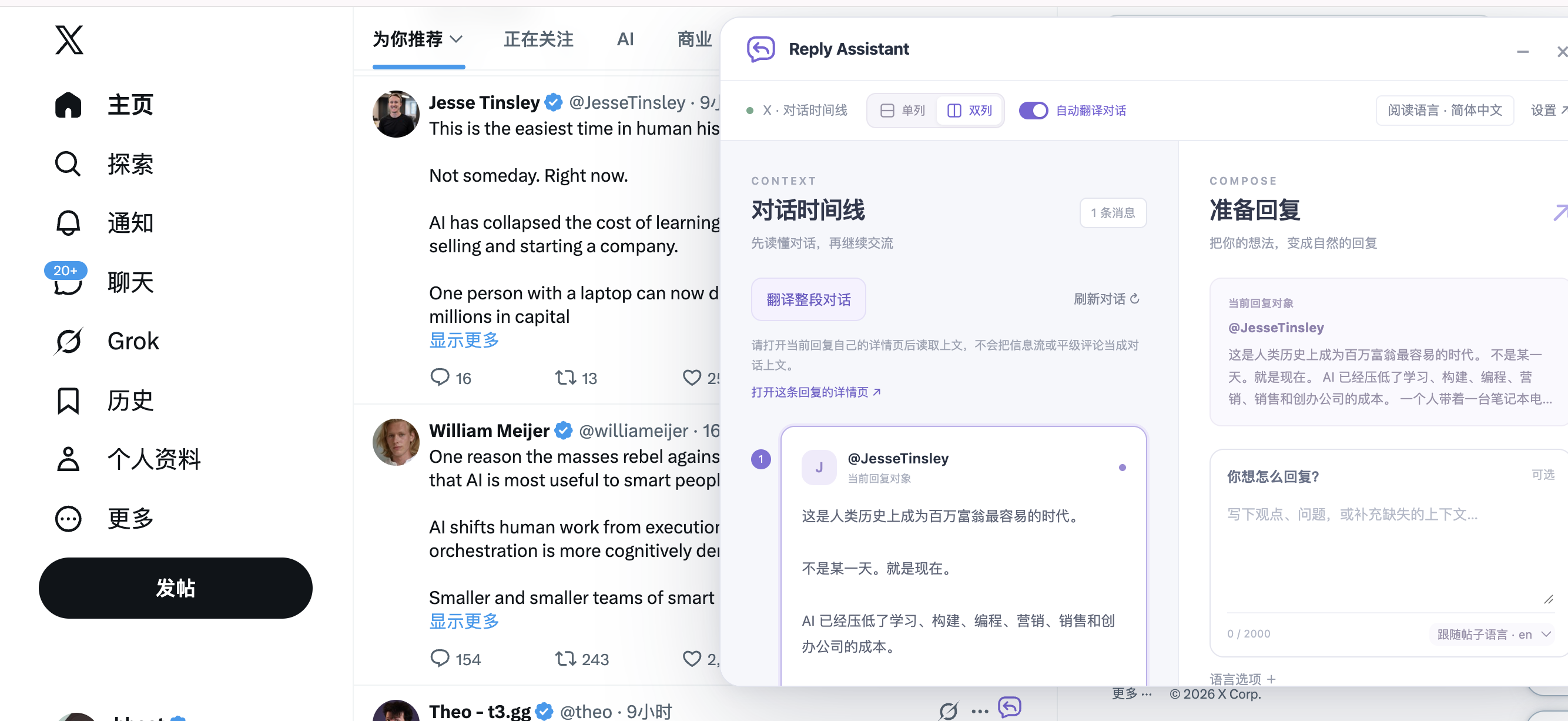
Focus on the conversation
Translate messages and quotations separately. Choose reading and reply languages independently, with an optional source-language override.
Add a thought or question to get up to three suggestions. Edit, check the character count, and copy a reply yourself.
Move, resize, and switch between one or two columns. The panel remembers its position. Enable auto translation in settings when you want it.
View comments, replies, quotes and totals by date and website. Export, correct or add missed records. Statistics stay in this browser.
Start with one post
Click the icon beside an X post. Review the selected text and loaded earlier messages.
Read in a familiar language and add your own perspective, question or missing details.
Choose a useful suggestion, make it sound like you, and copy it to X yourself.
Your language. Your model.
Use presets for DeepSeek, OpenAI or OpenRouter, or configure a custom HTTPS OpenAI-compatible provider. Bring your own API key; API usage is billed by your provider.
Presets simplify configuration. Compatibility depends on the provider and model. The interface supports English and Simplified Chinese.
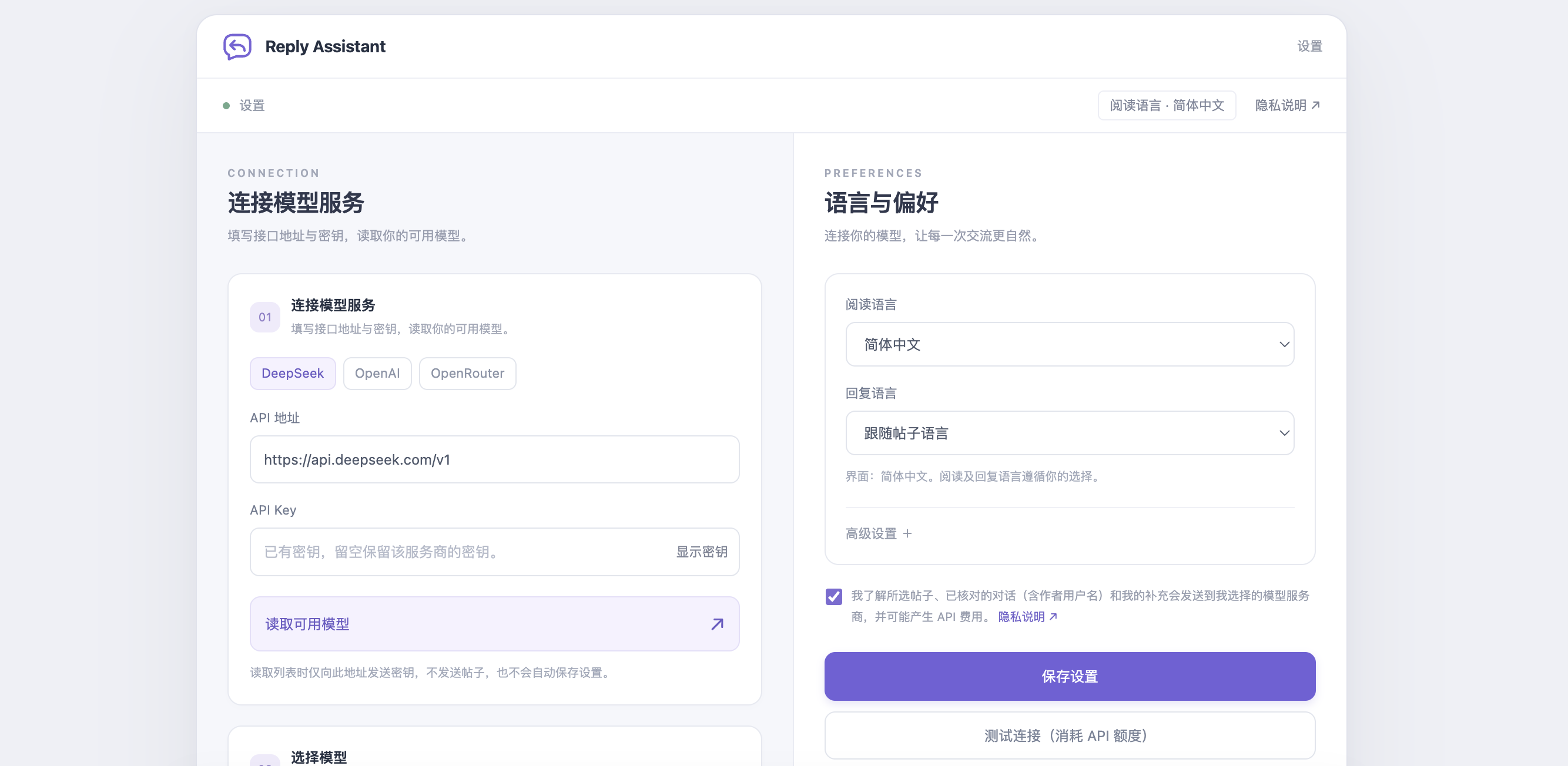 View full settings ↗
Know where your data goes
No automatic filling, posting or bulk engagement. Review the context and AI output before using a reply.
Selected content and notes go directly to your configured AI provider when you request assistance. With auto translation enabled, opening or refreshing a conversation can also trigger a translation.
Keys are kept for the browser session by default, with an option to remember them locally. Page content scripts never receive them.
Disable, export, correct or clear local statistics. They are not sent to the developer or AI provider. Generating and copying do not count as publishing.
Ready for your next conversation
Install the official v0.1.0 version from the Chrome Web Store. New features shown here, including local statistics, are included in the v0.2.0 candidate, available as an alternative download.
Install from Chrome Web StoreFor everyday use, install from the store.
For early access to new features. Requires Chrome developer mode. This candidate has not been released as a store update.
Download candidate ZIP ↓chrome://extensions and turn on Developer mode.There is no shared AI account. Configure your own compatible provider’s API key. Translations, reply generation and connection tests may incur provider API charges.
No. Replies are generated only when you click. You edit, copy and post them yourself. Auto translation is off by default and can be enabled in settings.
Currently, desktop Chrome and X text conversations. Images, videos, linked pages and unloaded messages are not analyzed. Statistics cover activity observed in this browser; uncertain categories can be corrected manually.